
-
The forum software have been upgraded to the latest version.
If you notice anything that looks off, or does not work, please let us know.
For more information, click here.
You are using an out of date browser. It may not display this or other websites correctly.
You should upgrade or use an alternative browser.
You should upgrade or use an alternative browser.
Top of Page button
- Thread starter Deusvult
- Start date

Slann
n810
First Spawning
- Messages
- 8,103
- Likes Received
- 6,527
- Trophy Points
- 113
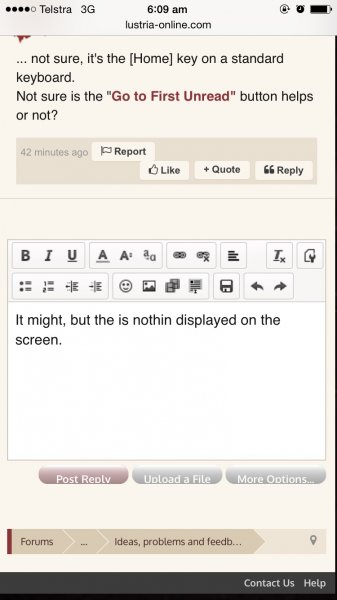
... not sure, it's the [Home] key on a standard keyboard.
Not sure is the "Go to First Unread" button helps or not?
Not sure is the "Go to First Unread" button helps or not?


Carnasaur
The Red Devil
Defender of Hexoatl
- Messages
- 1,054
- Likes Received
- 1,644
- Trophy Points
- 113
I assume you mean a "Go to top of page" (current) link, that allow you to jump to the top of the thread without scrolling?Maybe I am being a slight bit stupid, but is there a top of page button?? Mainly for mobile devices.
Since XenForo is mobile friendly I assumed they already had that, but I just checked and we do not have that.
I will add it to our todo list for the next forum update.
Thanks for letting us know


Carnasaur
The Red Devil
Defender of Hexoatl
- Messages
- 1,054
- Likes Received
- 1,644
- Trophy Points
- 113
Yea, the irony is that we actually have this button on the "normal" view. But when the forum change to mobile view it for some reason remove the link...I had wondered if I was just blind...scrolling up when in the fluff forums can get very tiring >.<
For those that are using a computer to browse the site, it is in the bottom right corner right before the RSS icon, the link name is "Top".

Skink Priest
pendrake
Well-Known Member
- Messages
- 3,764
- Likes Received
- 5,025
- Trophy Points
- 113
Yea, the irony is that we actually have this button on the "normal" view. [ ... ] it is in the bottom right corner right before the RSS icon, the link name is "Top".
It is so small I had never noticed it. The most USEFUL place it could be (and this goes double or triple on mobile devices) is in the gray navigation bar under each post. Somewhere to the right of the Report button but left of the Like button.
It would be nice if it displayed for members or guests (so it still worked if a lizard was not logged in).
Skink Priest
pendrake
Well-Known Member
- Messages
- 3,764
- Likes Received
- 5,025
- Trophy Points
- 113
Meanwhile I found a manual workaround using the link that is displayed in the Nav Bar under each post:
That link takes you to @The Red Devil 's prior post. But, paste it manually, then backspace some of it, like this:
In this set of three, the top one (full link) goes to one of my posts in an AoS thread, the middle one (backspaced to the #) goes to the top of the same page my post was on, the last one goes to the top of the first page of the AoS thread.
@Deusvult hope that helps.
That link takes you to @The Red Devil 's prior post. But, paste it manually, then backspace some of it, like this:
http://www.lustria-online.com/threads/top-of-page-button.16428/#post-132541
http://www.lustria-online.com/threads/top-of-page-button.16428
The modified link above takes a lizard to the top of this thread. It is more complicated on threads that have run to many pages:http://www.lustria-online.com/threads/top-of-page-button.16428
http://www.lustria-online.com/threa...-mk-ii-our-new-name.16382/page-12#post-132500
http://www.lustria-online.com/threads/age-of-sigmar-rumours-mk-ii-our-new-name.16382/page-12
http://www.lustria-online.com/threads/age-of-sigmar-rumours-mk-ii-our-new-name.16382/
http://www.lustria-online.com/threads/age-of-sigmar-rumours-mk-ii-our-new-name.16382/page-12
http://www.lustria-online.com/threads/age-of-sigmar-rumours-mk-ii-our-new-name.16382/
In this set of three, the top one (full link) goes to one of my posts in an AoS thread, the middle one (backspaced to the #) goes to the top of the same page my post was on, the last one goes to the top of the first page of the AoS thread.
@Deusvult hope that helps.

Chameleon Skink
Deusvult
Active Member
- Messages
- 150
- Likes Received
- 66
- Trophy Points
- 28
(so it still worked if a lizard was not logged in).
Filthy behaviour that is!!
