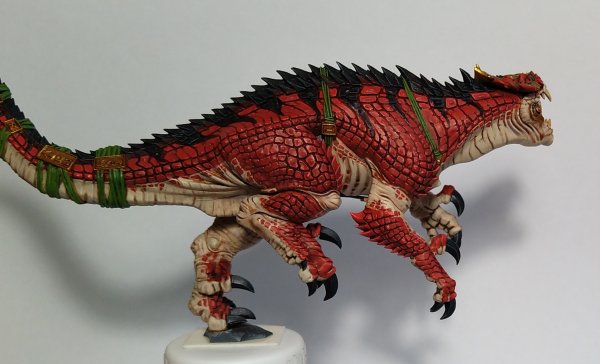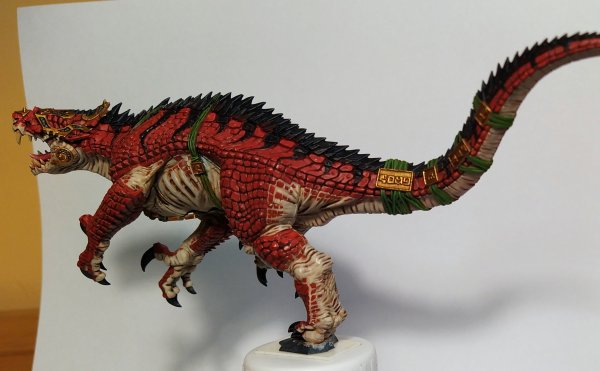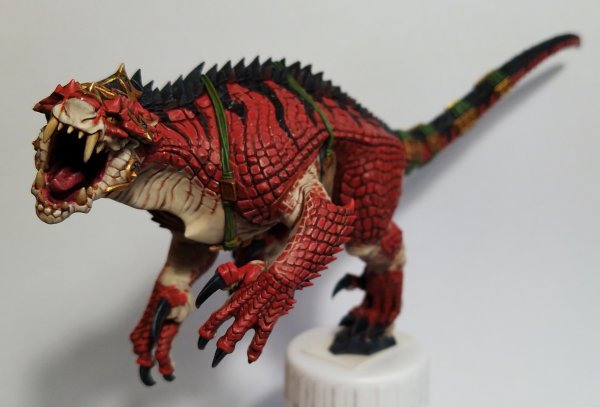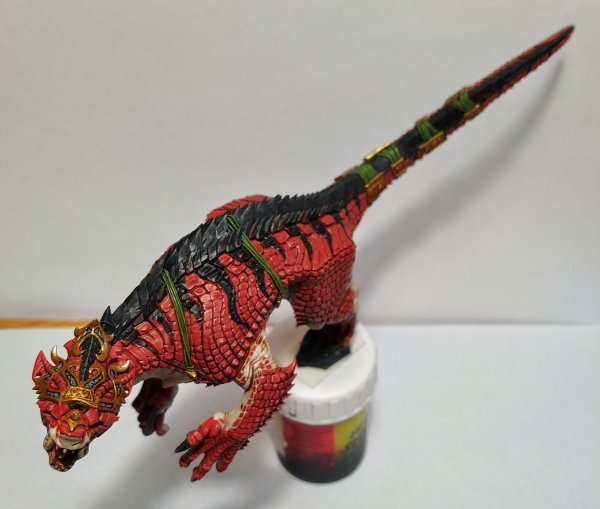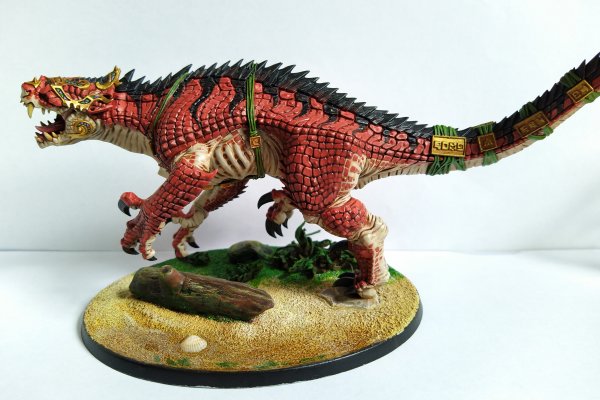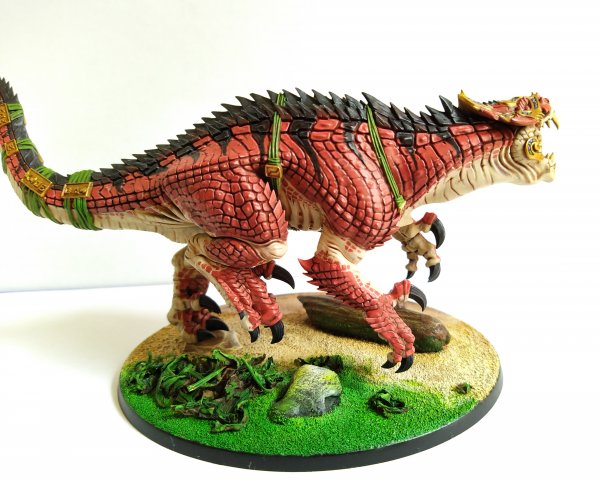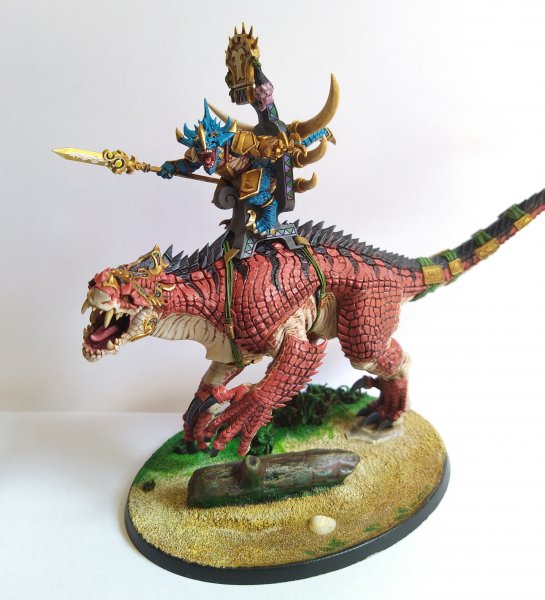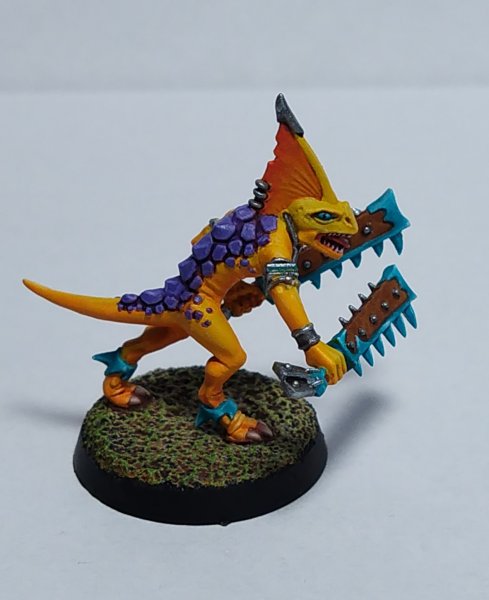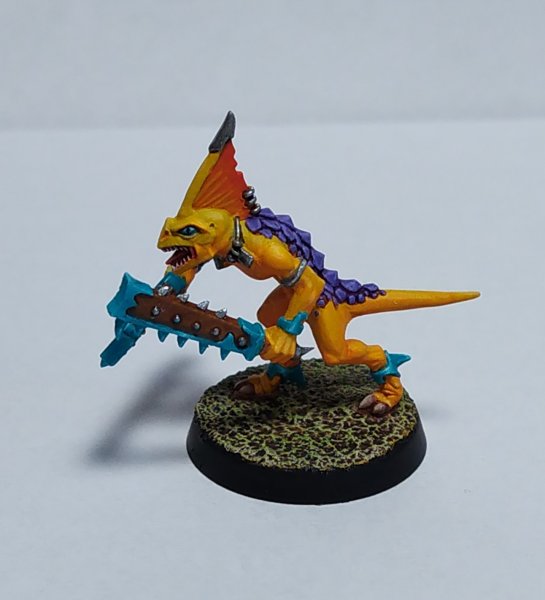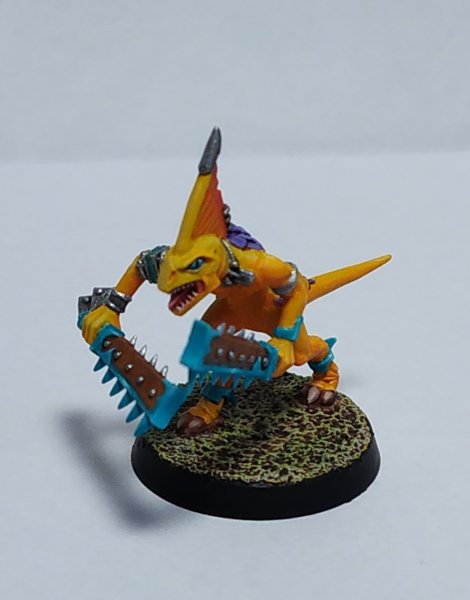

Ripperdactyl
bOdziO Wolf
Well-Known Member
- Messages
- 490
- Likes Received
- 1,384
- Trophy Points
- 93
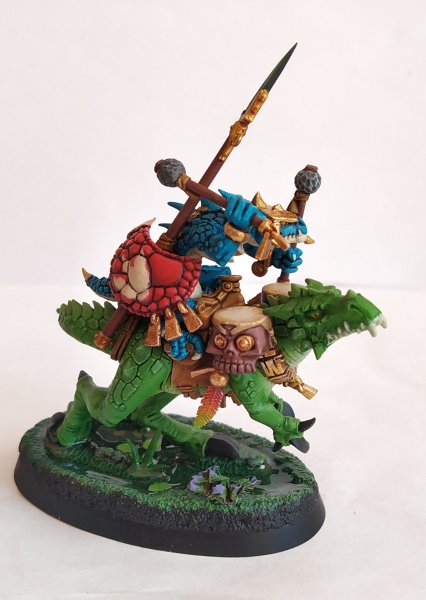
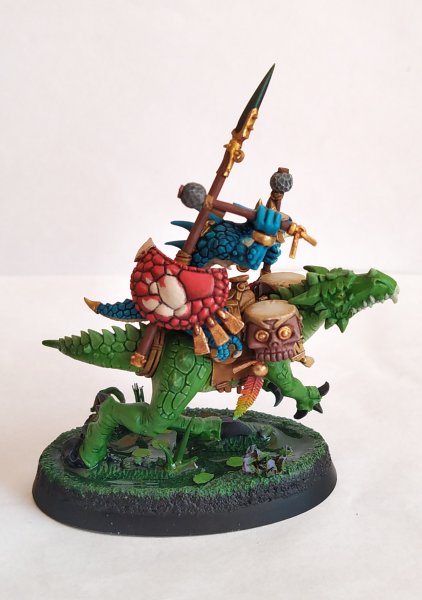
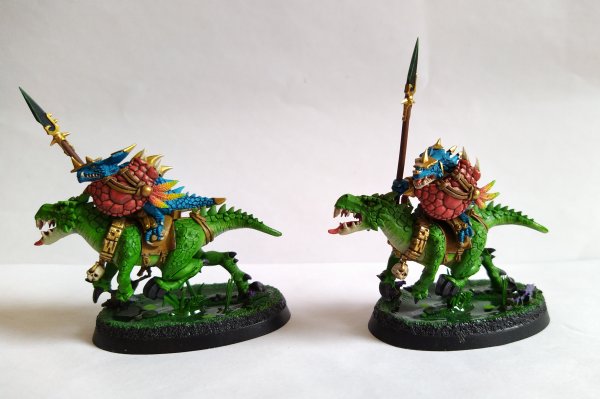
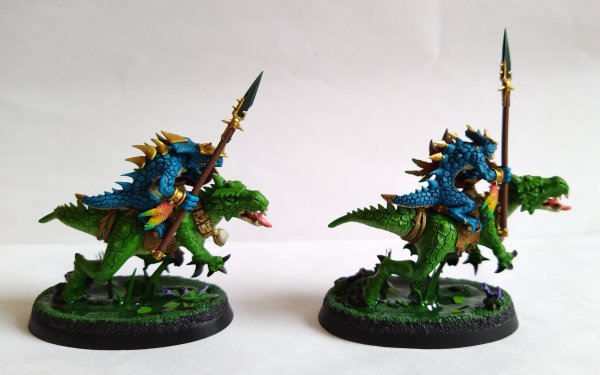
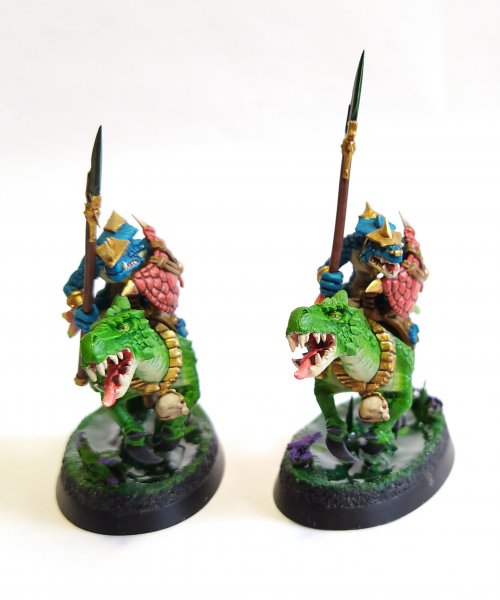
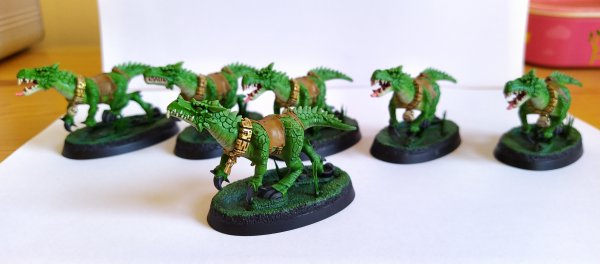
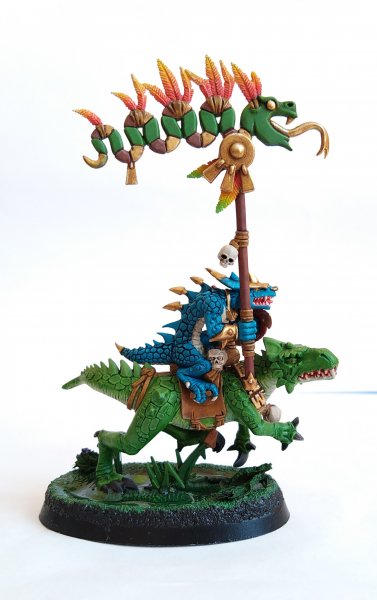
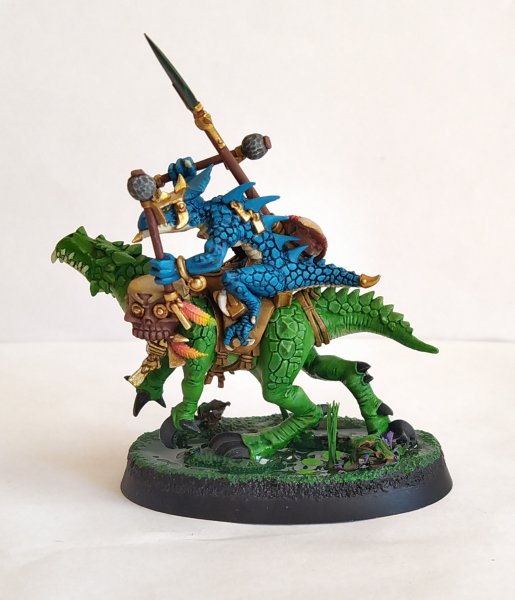
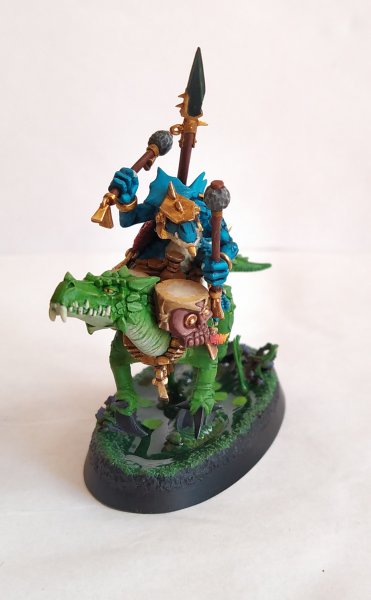
A batch of Cold Ones appeared to invade and eat rats like never before 
Apart from pouring water effects and adding a shrub here and there I call these guys done and all the remaining basing work will be done after I paint and attach the Sauruses.
HIGHLIGHTING
I must proudly say that after painting a seventh cold one (six in the picture, first one done post above) I finally figured out which paints to use to produce a nice contrast xD.
The key ingredient, at least for Vallejo, seems to be mixing in off-white/bone-white color (Vallejo Bonewhite in this case) and doing two passes of highlighting (1 part of base color and 1 part of Vallejo Bonewhite for first pass and 1 part of base color and 2 parts of Vallejo Bonewhite for the second pass).
Previously I tried also Vallejo Escorpena Green which at first sounded like a great idea, but if I wanted to increase the contrast even further the Cold One started to look like a Skaven warp-stone. Most of the models were done with this paint, hence they are slightly less "contrasty", because I had to stop at some point. I purposely did not repaint them to see various paint effects and have some biological diversity
LAYERING ON TOP OF A WASH
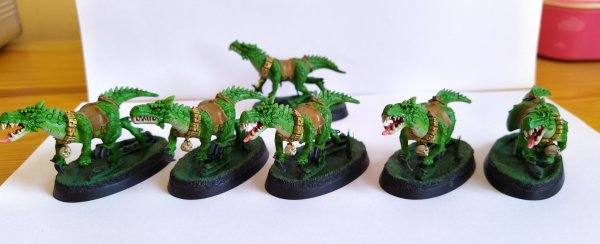
One additional thing that annoyed me during the process was the fact the Games Workshop Biel Tan Green is not only glossy, but also makes other paints (especially already misbehaving light colors) to flow around, so as a workaround I had to repaint 70% of the model (minus the recesses and bottom parts) with the base color. Once that was done the highlighting process was a breeze.
SKULLS
I think this doodad was not present in my previous posts, but I made them the quickest way possible:
* basecoat with Vallejo Bonewhite
* wash with Games Workshop Agrax Earthshade
* highlight with Vallejo Bonewhite again like 4 times (I think I over-diluted this paint haha)
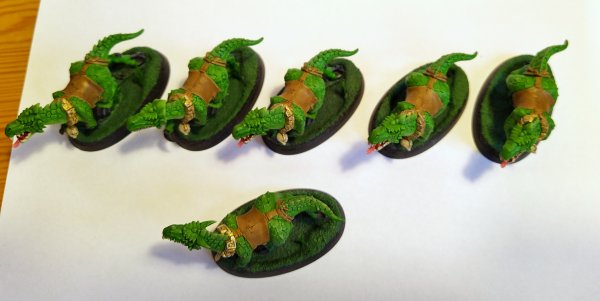
Apart from pouring water effects and adding a shrub here and there I call these guys done and all the remaining basing work will be done after I paint and attach the Sauruses.
HIGHLIGHTING
I must proudly say that after painting a seventh cold one (six in the picture, first one done post above) I finally figured out which paints to use to produce a nice contrast xD.
The key ingredient, at least for Vallejo, seems to be mixing in off-white/bone-white color (Vallejo Bonewhite in this case) and doing two passes of highlighting (1 part of base color and 1 part of Vallejo Bonewhite for first pass and 1 part of base color and 2 parts of Vallejo Bonewhite for the second pass).
Previously I tried also Vallejo Escorpena Green which at first sounded like a great idea, but if I wanted to increase the contrast even further the Cold One started to look like a Skaven warp-stone. Most of the models were done with this paint, hence they are slightly less "contrasty", because I had to stop at some point. I purposely did not repaint them to see various paint effects and have some biological diversity
LAYERING ON TOP OF A WASH
One additional thing that annoyed me during the process was the fact the Games Workshop Biel Tan Green is not only glossy, but also makes other paints (especially already misbehaving light colors) to flow around, so as a workaround I had to repaint 70% of the model (minus the recesses and bottom parts) with the base color. Once that was done the highlighting process was a breeze.
SKULLS
I think this doodad was not present in my previous posts, but I made them the quickest way possible:
* basecoat with Vallejo Bonewhite
* wash with Games Workshop Agrax Earthshade
* highlight with Vallejo Bonewhite again like 4 times (I think I over-diluted this paint haha)


 .
.