
Carnasaur
asrodrig
New Member
- Messages
- 1,019
- Likes Received
- 69
- Trophy Points
- 0
Hey all, since there seems to be a little confusion on how to post up pictures, I thought I'd make this brief little tutorial.
You will need, of course, a picture. This one seems about right.
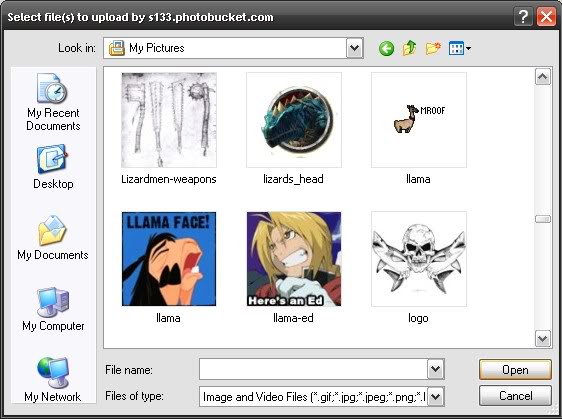
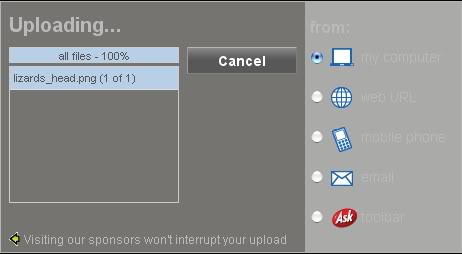
The next step is to upload your picture onto an image hosting site. I use photobucket, but there are many others. You'll see this as it's uploading:
And then you'll be redirected to this screen.
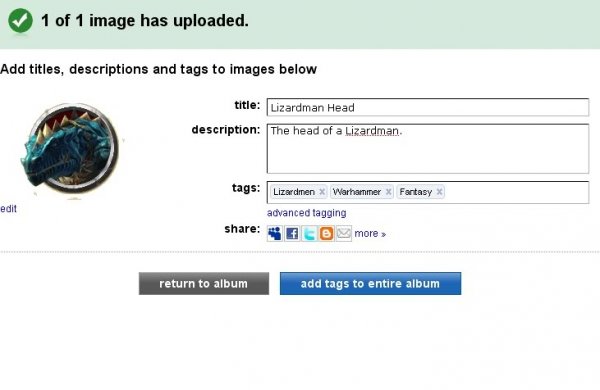
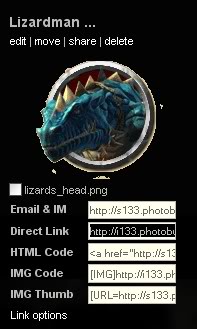
Once you're all done here, oh look! There's our image! Most forums support BBCode, but not here on Lustria-Online, so here's where it gets tricky. Instead of using the code, you have to first select the code in the 'Direct Link' box.
[attach]36[/attach]
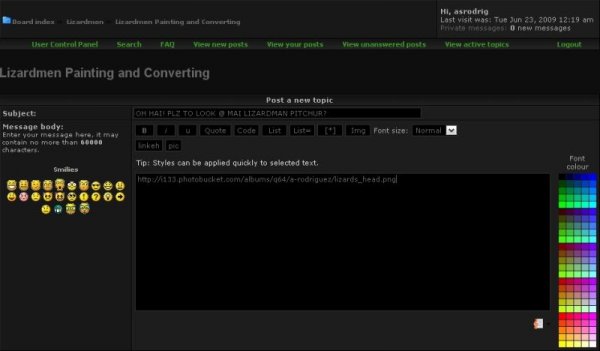
Then copy and paste it here.
[attach]37[/attach]
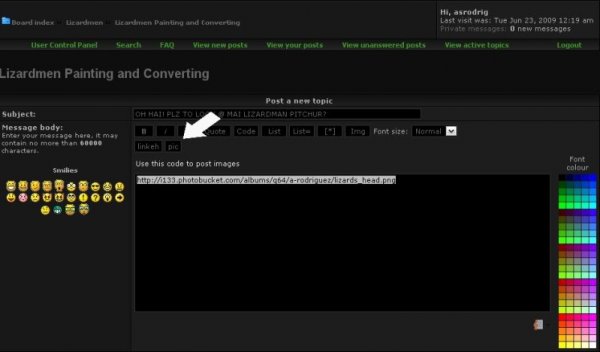
Then hit this button.
[attach]38[/attach]
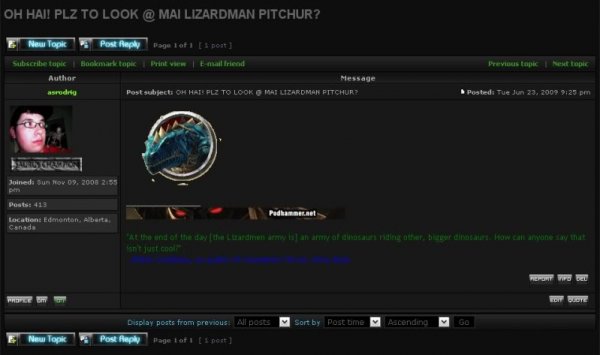
And voila! You have an image!
[attach]39[/attach][/b]
You will need, of course, a picture. This one seems about right.
The next step is to upload your picture onto an image hosting site. I use photobucket, but there are many others. You'll see this as it's uploading:
And then you'll be redirected to this screen.
Once you're all done here, oh look! There's our image! Most forums support BBCode, but not here on Lustria-Online, so here's where it gets tricky. Instead of using the code, you have to first select the code in the 'Direct Link' box.
[attach]36[/attach]
Then copy and paste it here.
[attach]37[/attach]
Then hit this button.
[attach]38[/attach]
And voila! You have an image!
[attach]39[/attach][/b]