• The forum software have been upgraded to the latest version.

    If you notice anything that looks off, or does not work, please let us know.

    For more information, click here.

Blog The start of my Warhammer career

Skink

Greenj92

Member
Messages
14
Likes Received
45
Trophy Points
13
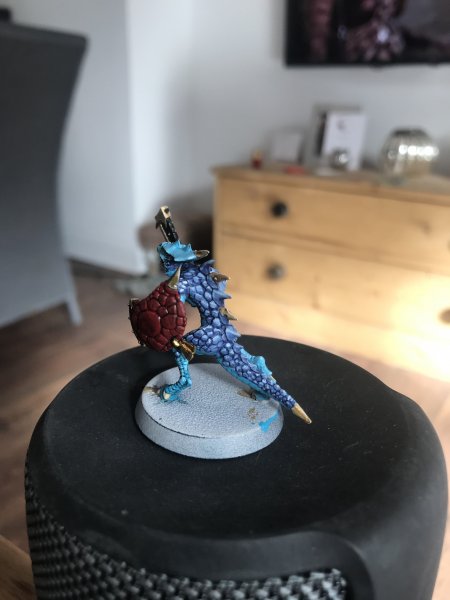
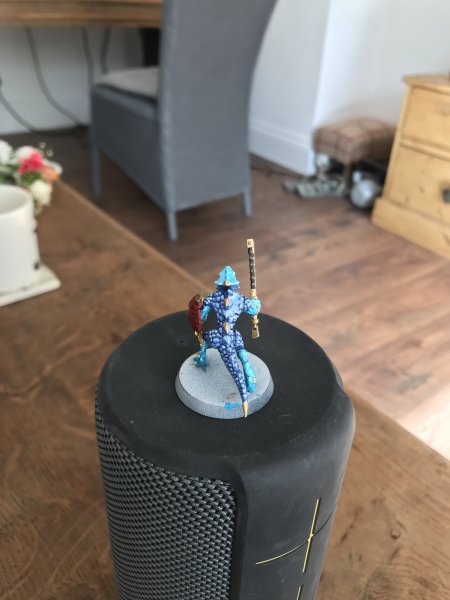
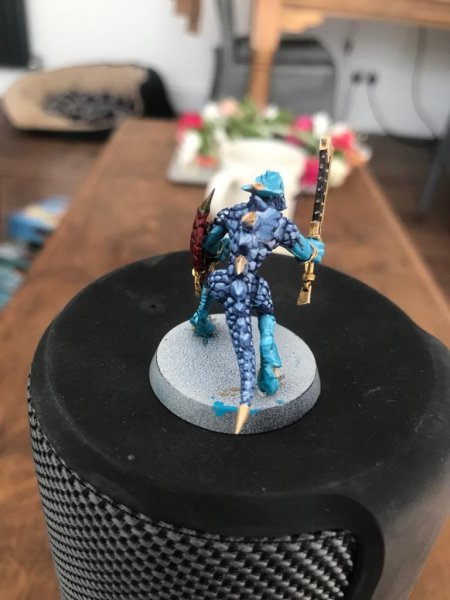
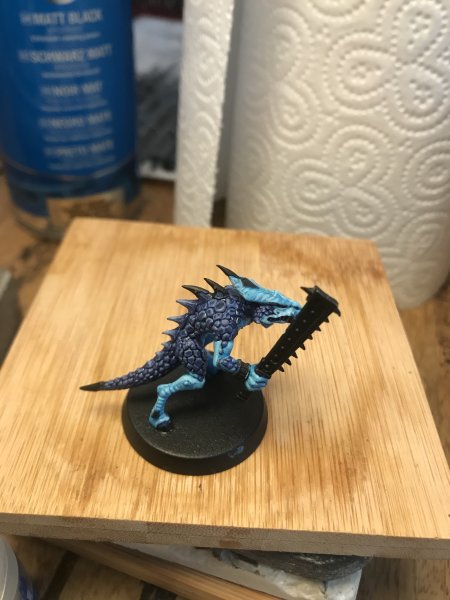
Here’s my first painted lizard man after 17years. Let me know why you guys think!
I’m not happy with the scales, I trying to do a few test models before I go wild batch painting.

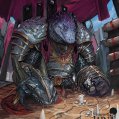
I kind of wanted to mimic the box art a little but I think I went overboard on the scales..
 

Attachments

  • E196A74A-79F3-4DA5-A845-27501202B591.jpeg
    E196A74A-79F3-4DA5-A845-27501202B591.jpeg
    1 MB · Views: 29
  • C2602E69-468A-4A61-8A16-A8BA01FE3A50.jpeg
    C2602E69-468A-4A61-8A16-A8BA01FE3A50.jpeg
    1.1 MB · Views: 29
  • image.jpg
    image.jpg
    1.8 MB · Views: 28
welcome to the jungle!
i think they look good, what are you wanting to change? maybe i can help you in the right direction
 
Thanks for quick reply Erta, literally driving my misses mad.. saying the scales don’t look right, what do you think?

I appreciate your compliment, maybe I’m my biggest critic?

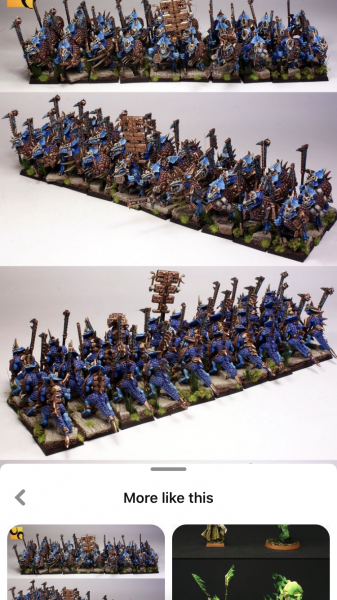
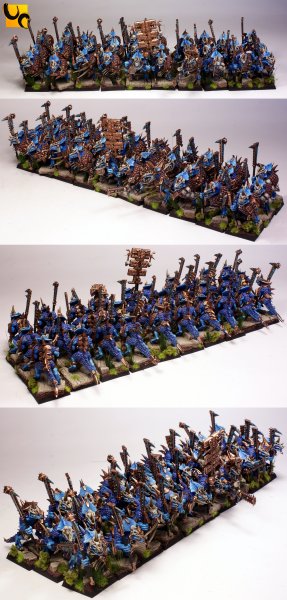
but essentially I was looking to accomplish a similar finish to this. I uploaded a photo, you should be able to zoom in enough to get an idea.
 

Attachments

  • 9CEF5045-F370-485C-8EF1-E0D52D23220E.png
    9CEF5045-F370-485C-8EF1-E0D52D23220E.png
    3.5 MB · Views: 22
well for one it looks like the ones your copying have dot shading on all the scales, they might also be darker(maybe) do you have a pic of your model from behind?
 
I see what you’re saying, so when I tried to do three rounds of highlighting I painted the whole scale and worked my way up until I small dot of white. For the highlights I just used the layer and added white to it, to make it brighter for each highlight.
 

Attachments

  • 36A677CA-1137-409D-A5A5-A434759AA1E4.jpeg
    36A677CA-1137-409D-A5A5-A434759AA1E4.jpeg
    1 MB · Views: 19
  • 82AEEE82-F689-41AB-83CA-52CA9D10609A.jpeg
    82AEEE82-F689-41AB-83CA-52CA9D10609A.jpeg
    970.3 KB · Views: 18
  • 30571228-930C-4197-B55F-7EDD4CC5495C.jpeg
    30571228-930C-4197-B55F-7EDD4CC5495C.jpeg
    77.7 KB · Views: 19
I see what you’re saying, so when I tried to do three rounds of highlighting I painted the whole scale and worked my way up until I small dot of white. For the highlights I just used the layer and added white to it, to make it brighter for each highlight.
you sir have far more patients with highlighting then i do and it looks great! much better them my first models. if you wan't something closer to the original i would stop at the second highlighting and then put a dot of the original color in the middle of each scale. i think that's what they are doing there.they might have used an ink but im not sure
 
you sir have far more patients with highlighting then i do and it looks great! much better them my first models. if you wan't something closer to the original i would stop at the second highlighting and then put a dot of the original color in the middle of each scale. i think that's what they are doing there.they might have used an ink but im not sure
I’ll give it a go, it’s only a test model so I might paint another two to get a feel for it. I’ll upload them too. Thank you for your help !
 
I’ll give it a go, it’s only a test model so I might paint another two to get a feel for it. I’ll upload them too. Thank you for your help !
glad i could help. yell if you need anything else. im more of a rules guy then a paint guy but ill do what i can
 
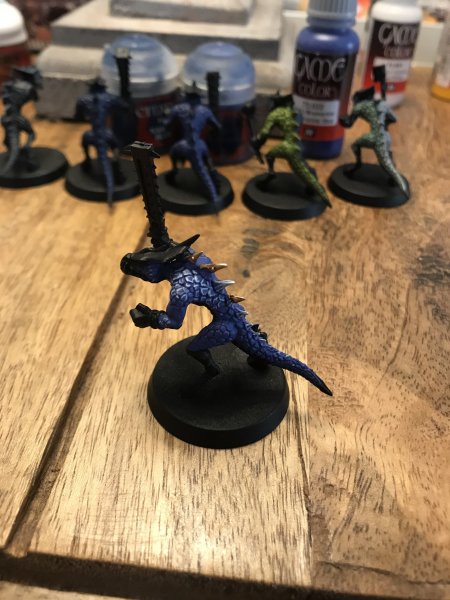
Hey guys I’ve painted another three test paint scheme models but still not happy. Getting pretty close but I can’t seem to get the blue on my scales bright enough!
What paints do you reckon are being used for the scales / skin here?
 

Attachments

  • 95F7A157-80E9-406A-817C-6BBCA91AA8BC.jpeg
    95F7A157-80E9-406A-817C-6BBCA91AA8BC.jpeg
    4 MB · Views: 10
  • 272265B3-F0C6-4FEE-A4B2-6C3BEEFA9111.jpeg
    272265B3-F0C6-4FEE-A4B2-6C3BEEFA9111.jpeg
    1.1 MB · Views: 11
i think they just edge highlighted all the scales. but the base color is probably Kantor blue edged with teclis blue
 
Hey guys I’ve painted another three test paint scheme models but still not happy. Getting pretty close but I can’t seem to get the blue on my scales bright enough!
What paints do you reckon are being used for the scales / skin here?

It almost looks like they used a More purple basecolor, but as @Just A Skink mentioned it could be the colorcorrection of the picture.

Most important of all is: are you happy when you look at your model (not comparing it to the picture)?

Grrr, Imrahil

Ps: painting the gold bits also adds to the look of the blue ;)
 
It almost looks like they used a More purple basecolor, but as @Just A Skink mentioned it could be the colorcorrection of the picture.

Most important of all is: are you happy when you look at your model (not comparing it to the picture)?

Grrr, Imrahil

Ps: painting the gold bits also adds to the look of the blue ;)
You could be right about the colour configuration. Shame thou because that blue is lovely ! I think I’ve pretty much nailed the skin colours but I may experiment once more on the scales to see if I can get any more indigo

but overall I’m happy, it’s the best job I’ve done On a model thus far
 
You could be right about the colour configuration. Shame thou because that blue is lovely ! I think I’ve pretty much nailed the skin colours but I may experiment once more on the scales to see if I can get any more indigo

but overall I’m happy, it’s the best job I’ve done On a model thus far
Hi @Greenj92, I was just quickly replying earlier when I said the photo could have been color corrected. I'm sorry I wasn't more helpful with suggestions. Part of what I was saying is that you might be closer than you think. But paint the colors you like. If you want to work on it more, keep testing.

I'm sure @Erta Wanderer is on the right track with Kantor with Teclis highlights. The base color could possibly be Maccrage Blue as well. It might be helpful to download the Citadel Paint app to your phone/tablet to see what color combos GW already recommends.

One suggestion I think I can make is that if you want brighter colors overall try using more "pure" colors, with less white. Basically, what I mean is if you want deep blue scales with a lighter blue highlight or edge, then go the route of two separate blues (like kantor & teclis), not just the base color with white added. It's not bad to do it that way, but adding more and more white doesn't necessarily make a color look brighter, it often just makes the color appear more "chalky".

 
Hi @Greenj92, I was just quickly replying earlier when I said the photo could have been color corrected. I'm sorry I wasn't more helpful with suggestions. Part of what I was saying is that you might be closer than you think. But paint the colors you like. If you want to work on it more, keep testing.

I'm sure @Erta Wanderer is on the right track with Kantor with Teclis highlights. The base color could possibly be Maccrage Blue as well. It might be helpful to download the Citadel Paint app to your phone/tablet to see what color combos GW already recommends.

One suggestion I think I can make is that if you want brighter colors overall try using more "pure" colors, with less white. Basically, what I mean is if you want deep blue scales with a lighter blue highlight or edge, then go the route of two separate blues (like kantor & teclis), not just the base color with white added. It's not bad to do it that way, but adding more and more white doesn't necessarily make a color look brighter, it often just makes the color appear more "chalky".

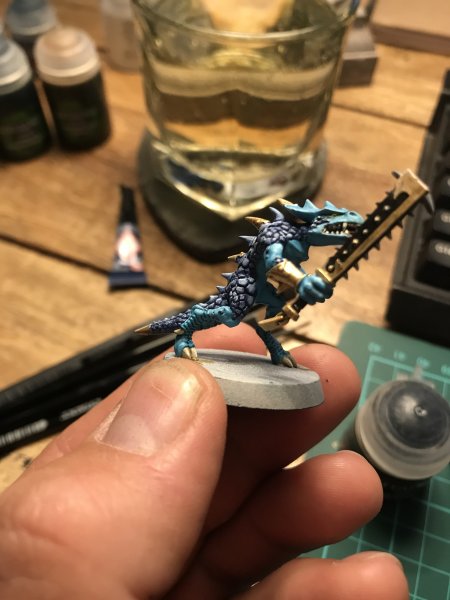
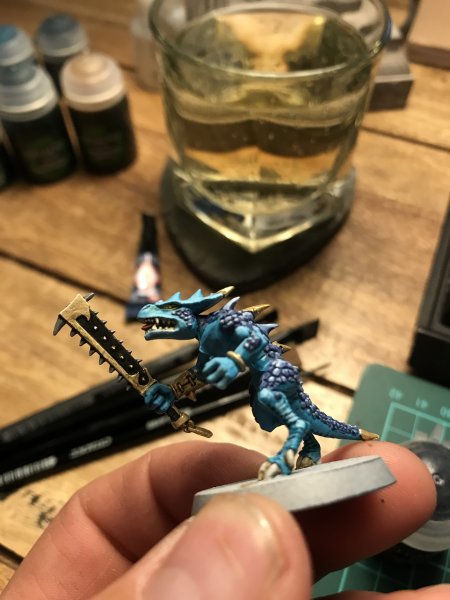
Hi @Greenj92, I was just quickly replying earlier when I said the photo could have been color corrected. I'm sorry I wasn't more helpful with suggestions. Part of what I was saying is that you might be closer than you think. But paint the colors you like. If you want to work on it more, keep testing.

I'm sure @Erta Wanderer is on the right track with Kantor with Teclis highlights. The base color could possibly be Maccrage Blue as well. It might be helpful to download the Citadel Paint app to your phone/tablet to see what color combos GW already recommends.

One suggestion I think I can make is that if you want brighter colors overall try using more "pure" colors, with less white. Basically, what I mean is if you want deep blue scales with a lighter blue highlight or edge, then go the route of two separate blues (like kantor & teclis), not just the base color with white added. It's not bad to do it that way, but adding more and more white doesn't necessarily make a color look brighter, it often just makes the color appear more "chalky".
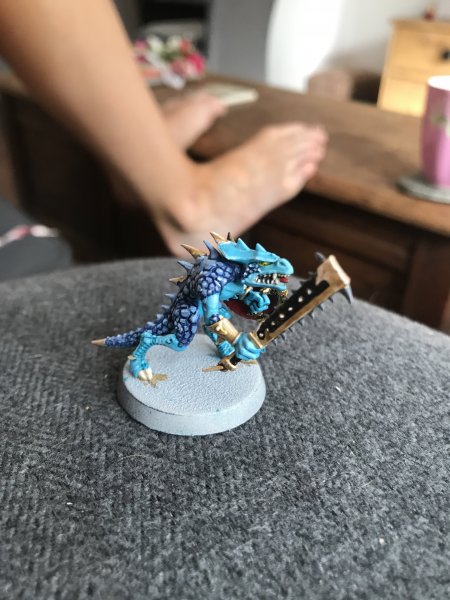
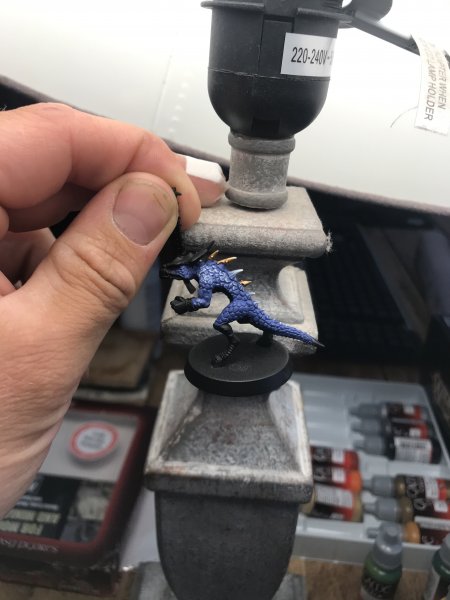
Oh no don’t worry, I definitely took into consideration what you said. But I’ve only been using GW paints, but I’ve also got some Vallejo paints so I thought I’d give their ultramarine blue ago and it’s actually pretty close! I instead just base coated it and went straight into edge highlights instead of using a wash.

what do you reckon?
 

Attachments

  • 28664C30-9A83-4BD1-9935-C933D6A78E38.jpeg
    28664C30-9A83-4BD1-9935-C933D6A78E38.jpeg
    1.4 MB · Views: 6
  • A53AD6FC-EC7A-4987-B4CF-21951E667C63.jpeg
    A53AD6FC-EC7A-4987-B4CF-21951E667C63.jpeg
    1.2 MB · Views: 6
Oh no don’t worry, I definitely took into consideration what you said. But I’ve only been using GW paints, but I’ve also got some Vallejo paints so I thought I’d give their ultramarine blue ago and it’s actually pretty close! I instead just base coated it and went straight into edge highlights instead of using a wash.

what do you reckon?
The Vallejo ultramarine blue does look very close to the reference photo you used. Sweet! Good luck and I look forward to seeing the progress. :)
 
Back
Top